Most SEO teams do not need more dashboards. They need fewer manual loops.
A content lead checks rankings, a technical SEO exports crawl errors, an agency strategist samples Google AI Overviews, and someone else asks ChatGPT or Perplexity whether the brand appears for important buyer questions. By Friday, the team has data, but not always decisions.
That is where practical SEO AI workflows matter. Not “let AI write everything,” but repeatable systems where AI gathers evidence, detects patterns, drafts first-pass recommendations, and routes the right fixes to a human reviewer. The result is less copy-paste work and more time spent on judgment, prioritization, and revenue impact.
For brands that depend on organic discovery, this now includes two search surfaces at once: classic search results and generative engines such as ChatGPT, Google AI Overviews, Gemini, Perplexity, Claude, and Copilot. The workflows below help teams save hours each week while improving visibility where prospects are already asking questions.
What makes an SEO AI workflow worth using?
An SEO AI workflow is a structured process that uses AI to complete part of an SEO task, usually the repetitive or pattern-heavy part, while keeping humans in control of strategy and quality.
The best workflows have six parts:
| Workflow element | What it answers | Example |
|---|---|---|
| Trigger | When does this run? | Every Monday morning, after publishing, after a traffic drop |
| Inputs | What data does AI review? | Search Console exports, crawl data, prompts, pages, SERPs, AI answers |
| AI task | What should AI do? | Cluster issues, summarize citations, draft metadata, flag gaps |
| Human review | Who approves the output? | SEO lead, content editor, developer, local marketing manager |
| Output | What changes? | Brief, ticket, schema update, internal link, page rewrite |
| Metric | How do we know it worked? | Mentions, citations, rankings, clicks, conversions, crawl health |
This structure prevents AI from becoming another source of noise. It also keeps the work measurable, which is essential for teams managing hotels, multi-location brands, e-commerce catalogs, MSP sites, or client portfolios.
The goal is not to automate expertise. The goal is to automate the handoffs that slow expertise down.
Workflow 1: Run a weekly AI visibility scan
Traditional rank tracking tells you where a page appears in Google. AI visibility tracking tells you whether generative engines mention, cite, or ignore your brand when users ask buying questions.
For example, a regional hotel group might test prompts like “best family-friendly hotels near downtown Austin,” “boutique hotels with meeting rooms in Charleston,” or “where should I stay near the convention center?” An MSP might test “best IT support provider for dental clinics in Denver” or “managed cybersecurity company for 100-person law firm.”
A useful weekly scan should capture:
- Which prompts mention your brand
- Which prompts mention competitors instead
- Whether the answer includes a citation to your site
- Which source pages are being reused by the AI engine
- Whether the answer is accurate, incomplete, or outdated
- How your share of voice changes week over week
This is where teams often lose hours manually. Sampling prompts one by one across ChatGPT, Gemini, Perplexity, Claude, Copilot, and Google AI Overviews becomes inconsistent fast. A workflow should standardize the prompt set, run it on a schedule, and summarize the deltas.
The business effect is straightforward. If an AI answer recommends three competitors and not you, that is a visibility gap. If it mentions you but cites an outdated directory instead of your own site, that is a credibility gap. If it cites your site but pulls the wrong service, location, or product detail, that is an entity and content clarity problem.
CapstonAI is built around this measurement-first approach, including AI visibility scans, brand mention tracking, citation tracking, prompt mapping, and share-of-voice monitoring. If your team is defining the weekly scorecard, this guide to SEO tracking for AI search explains what to measure without turning reporting into a second full-time job.
Workflow 2: Map prompts to buyer journeys
AI search is not just keyword search with longer queries. People ask generative engines for recommendations, comparisons, summaries, itineraries, checklists, and “best option for me” decisions.
That changes the planning workflow. Instead of starting only with keyword volume, build a prompt map around the questions that influence revenue.
For a multi-location healthcare brand, prompts might cluster around symptoms, insurance, nearest location, appointment availability, provider trust, and aftercare. For a WooCommerce store, they might cluster around product comparisons, compatibility, sizing, returns, and gift recommendations. For an agency, they might cluster around category education, vendor comparison, implementation, and proof.
AI can help by clustering hundreds of prompts into journey stages. A human should then label the commercial intent and decide which gaps matter.
A simple prompt map can look like this:
| Journey stage | Prompt type | SEO and GEO opportunity |
|---|---|---|
| Problem aware | “Why is my site traffic dropping after AI Overviews?” | Educational content, definitions, diagnostic tools |
| Solution aware | “How do I improve visibility in ChatGPT and Perplexity?” | GEO/AEO guides, service pages, comparison content |
| Vendor research | “Best AI SEO platforms for multi-location brands” | Product positioning, proof pages, case studies |
| Local decision | “Best hotel near X with parking and meeting rooms” | Local landing pages, schema, entity consistency |
| Final validation | “Is this provider credible?” | Reviews, citations, author bios, trust signals |
This workflow saves time because teams stop debating isolated keywords and start seeing patterns. It also improves internal linking. Once prompt clusters are clear, you can connect pages based on how buyers move from question to decision, not just based on exact-match anchor text.
Workflow 3: Turn visibility gaps into content briefs
Many AI content workflows fail because they begin with drafting. A stronger workflow begins with evidence.
When an AI visibility scan shows that competitors are cited more often, the next step is to inspect why. Are they clearer about locations? Do they have better structured FAQs? Are their pages faster? Do they explain entities, services, and use cases more directly? Are third-party citations reinforcing their authority?
AI can review the top cited pages and produce a first-pass content brief. That brief should not be a generic outline. It should translate observed gaps into editorial and technical requirements.
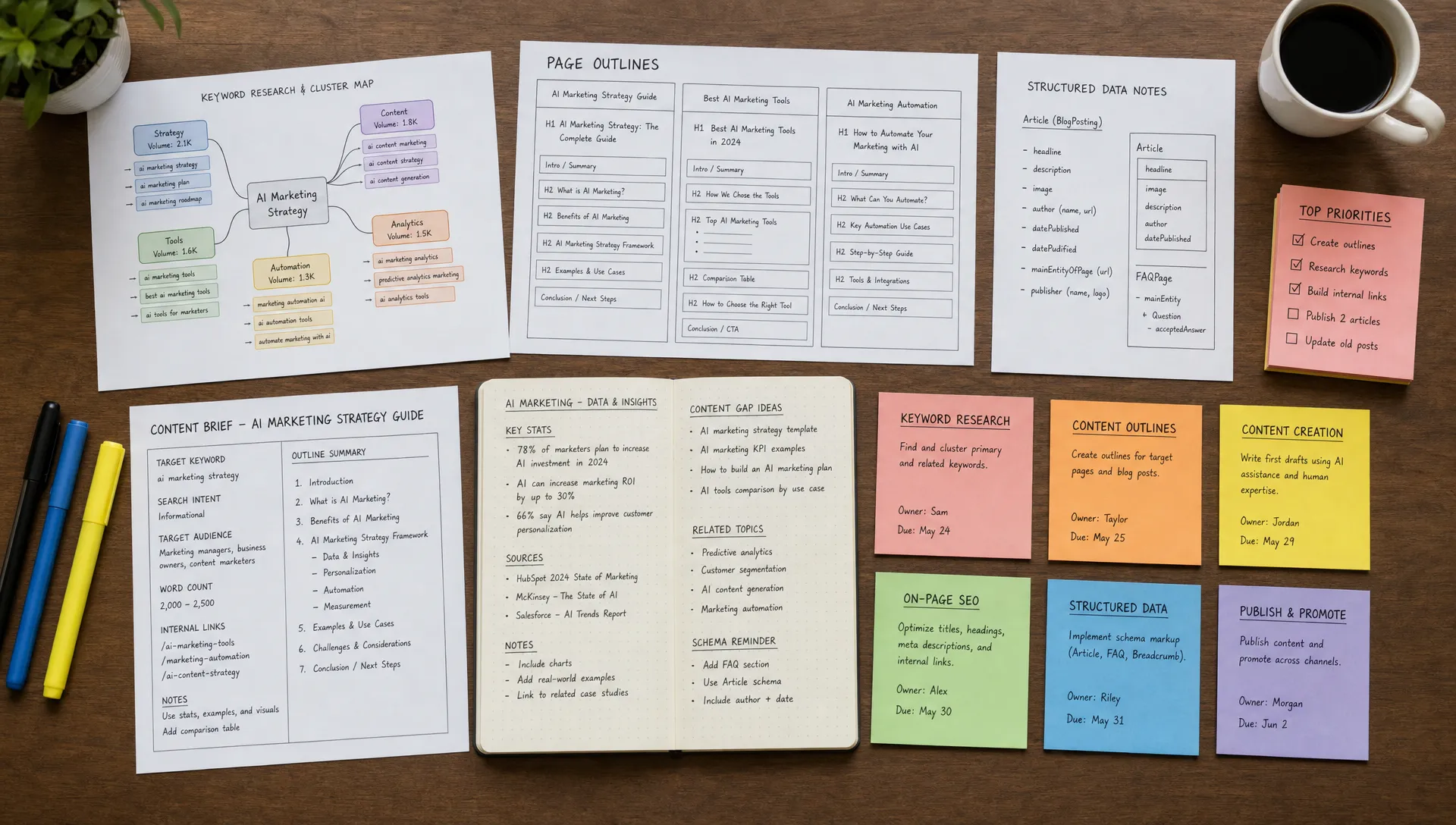
A strong AI-assisted brief includes:
- The buyer question or prompt cluster the page should answer
- The primary entity, such as brand, location, service, product, or category
- Missing subtopics compared with cited competitors
- Required proof, such as reviews, specifications, policies, pricing context, or qualifications
- Internal links to supporting pages
- Structured data opportunities, such as FAQPage, Product, LocalBusiness, Hotel, or Article schema when appropriate
- A human editorial note on what must be original, expert, or brand-specific
This is a good example of AI supporting content operations without replacing editorial standards. The machine can summarize patterns quickly. The team still decides what is true, differentiated, and worth publishing.
For deeper editorial guardrails, CapstonAI’s article on best practices for using AI for SEO content covers how to combine AI speed with human review, search intent, and measurement.
Workflow 4: Automate metadata, FAQ, and schema QA
Metadata still matters, but not in isolation. Title tags and meta descriptions influence classic search snippets, while structured data helps search systems understand what a page represents. For AI search, clear page structure, entity consistency, and answer-ready formatting make your content easier to interpret and reuse.
This is a strong fit for AI assistance because the work is repetitive and rule-based.
A practical weekly workflow can review newly published or updated pages and flag:
- Missing or duplicate title tags
- Meta descriptions that do not match page intent
- Pages without a clear H1
- FAQs that answer vague questions instead of real buyer questions
- Schema mismatches, such as product markup on a non-product page
- Missing location, organization, service, or product entity details
- Pages that should be referenced in an llms.txt file or similar AI discovery aid
Structured data is not a ranking shortcut. Google’s own documentation describes structured data as a standardized format for providing information about a page and classifying its content. The practical benefit is clarity. A hotel page, product page, medical location page, or service page should make its core facts machine-readable and easy to verify.
For teams managing many pages, the savings come from batch review. Instead of opening 80 URLs manually, AI can group issues by template, severity, and likely fix owner. A content editor handles copy issues. A developer handles template or schema problems. A local manager validates business facts.
CapstonAI supports AI-ready FAQ, schema, metadata, and llms.txt publishing, with WordPress-first CMS integration and extensibility for more complex stacks. That matters because recommendations only save time when they can move from diagnosis to implementation.
Workflow 5: Prioritize technical SEO fixes by business impact
Technical SEO can easily become a long spreadsheet of equal-looking problems. AI can help by grouping crawlability, internal linking, and performance issues into decisions a team can act on.
The workflow begins with crawl and performance inputs, then asks AI to classify problems by page type, template, traffic value, and conversion role. A broken internal link on a low-value tag page is not the same as a blocked location page that drives bookings or leads.
Here is a practical triage model:
| Issue type | Why it matters | AI-assisted output | Human owner |
|---|---|---|---|
| Crawlability blocks | Search and AI systems may not access important pages | List affected revenue pages and blocking rule | Technical SEO or developer |
| Weak internal linking | Important pages may be hard to discover or understand | Suggested source pages and natural anchors | SEO strategist or editor |
| Slow page templates | Poor user experience can reduce engagement and conversions | Template-level performance summary | Developer or performance lead |
| Thin location pages | AI engines may lack enough facts to recommend the brand | Content and entity gap brief | Content or local marketing team |
| Missing schema | Page meaning may be less explicit to search systems | Schema recommendation by page type | SEO or CMS manager |
Page performance deserves special attention. Google’s Core Web Vitals include user experience metrics such as Largest Contentful Paint, Interaction to Next Paint, and Cumulative Layout Shift. Faster, more stable pages help users complete tasks, which matters whether the visit comes from organic search, an AI citation, or a local recommendation.
AI does not replace a technical audit. It makes the audit easier to act on. The best output is not “you have 312 issues.” It is “fix this template first because it affects 46 location pages, including 12 that appear in AI answers but have weak citation accuracy.”
Workflow 6: Create repeatable updates for multi-location and catalog pages
Multi-site brands and e-commerce teams often lose time on near-identical updates. A hotel group updates amenity language across location pages. A franchise updates service descriptions for 120 offices. A WooCommerce store refreshes product metadata and schema across categories.
AI can help standardize the work while preserving local or product-specific accuracy.
The key is to separate reusable structure from unique facts. The workflow might use a template for page sections, metadata rules, FAQ formats, and schema fields, then pull verified facts from a CMS, product information system, or approved spreadsheet.
For example, a location page workflow should not invent parking, hours, insurance, amenities, or service availability. It should flag missing fields and route them for confirmation. That is where AI saves time without creating risk.
This is especially useful for:
- Hotel and travel groups that need consistent location, amenity, and nearby attraction data
- Healthcare, education, and retail franchises with many local pages
- MSPs managing multiple service-area pages
- E-commerce teams with large product and category catalogs
- Agencies maintaining SEO standards across client site fleets
For AI search, consistency matters because generative engines compare facts across your site, business profiles, directories, reviews, and third-party mentions. If your own pages are inconsistent, the model may use a competitor or directory as the clearer source.
Workflow 7: Convert weekly reporting into decisions
Reporting is one of the easiest places to save time because most teams already have the data. The problem is that the data is scattered.
A useful AI reporting workflow should pull from classic SEO tools, AI visibility scans, crawl data, content production records, and analytics. Then it should summarize what changed and what to do next.
A weekly AI search and SEO report should answer five questions:
| Question | What to include |
|---|---|
| Did visibility improve? | Rankings, impressions, AI mentions, citations, share of voice |
| Where did competitors gain ground? | Prompts, pages, sources, and answer themes where rivals appear |
| What changed on the site? | Pages published, metadata fixed, schema added, internal links improved |
| What still blocks performance? | Crawlability, speed, content gaps, entity confusion, outdated facts |
| What should we do next week? | Prioritized actions with owner, expected business effect, and status |
This workflow is valuable for agencies and in-house teams because it shifts the conversation from activity to outcomes. Executives do not need every crawl detail. They need to know whether the brand is becoming easier to find, cite, and trust.
If you work with an agency or operate like one internally, this aligns with what an effective AI SEO partner should provide: measurable visibility, technical fixes, answer-ready content, and ongoing reporting. CapstonAI’s guide on what an AI SEO agency should actually deliver is a useful benchmark.
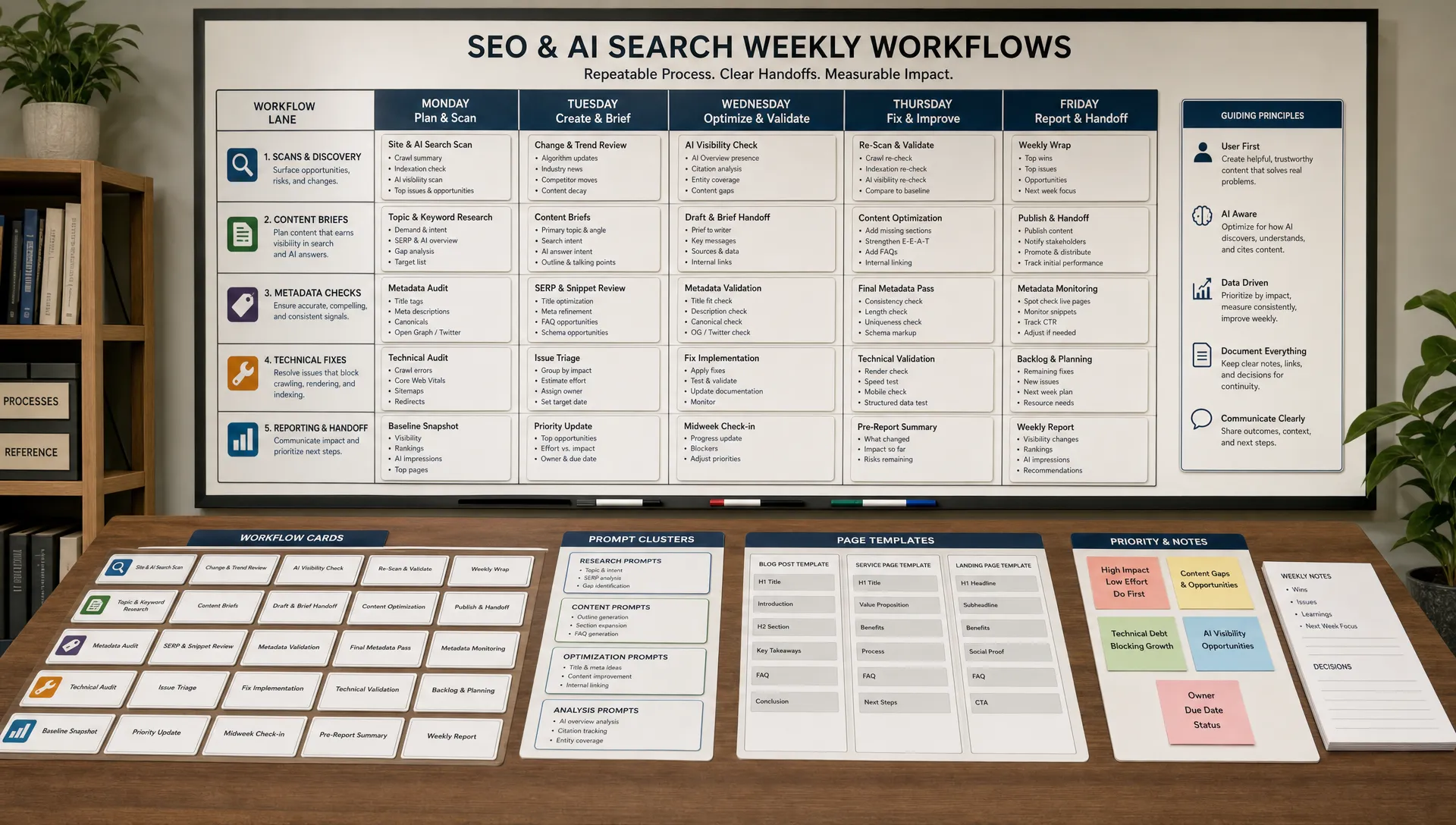
A practical weekly schedule for SEO AI workflows
The easiest way to adopt these workflows is to assign each one a day and owner. You do not need to automate everything at once. Start with the highest-friction loop, then add more once the team trusts the outputs.
| Day | Workflow | Primary output |
|---|---|---|
| Monday | AI visibility scan | Prompt changes, brand mentions, citations, competitor movement |
| Tuesday | Technical triage | Priority crawlability, schema, performance, and internal link tickets |
| Wednesday | Content gap briefs | Briefs for pages that can improve AI and organic visibility |
| Thursday | Metadata and schema QA | Batch updates for titles, descriptions, FAQs, structured data, llms.txt |
| Friday | Decision report | Short summary of wins, losses, shipped fixes, and next actions |
This cadence is intentionally simple. Teams save time when workflows are predictable. A predictable workflow also makes it easier to compare before and after results, which is essential for proving SEO impact in an AI search environment.
What should stay human?
AI is useful for clustering, summarizing, drafting, comparing, and flagging anomalies. Humans should stay responsible for claims, brand positioning, compliance, prioritization, and final publishing decisions.
This is especially important for regulated or trust-sensitive industries such as healthcare, education, financial services, travel, and IT services. AI can identify that a page lacks proof. It cannot decide which proof is accurate, legally acceptable, or persuasive for your audience.
A good rule is simple: automate the scan, not the standard. Let AI reduce the time between evidence and action, but keep experienced people accountable for what the brand publishes.
How to measure whether the workflows are saving time
Do not rely on vague productivity claims. Measure the before and after.
Start with three baseline numbers for each workflow: how long the task takes today, how often it happens, and how many people touch it. Then compare that with the new process after four weekly cycles.
For example, a team might discover that AI reduces a weekly visibility review from a half-day of manual prompt testing to a shorter review of exceptions, citations, and recommended fixes. Another team might find that metadata QA still takes time, but the work moves from page-by-page inspection to template-level correction.
Track both operational and business metrics:
- Hours spent per recurring SEO task
- Number of pages reviewed or fixed per week
- Time from issue detection to implementation
- AI brand mentions by engine and prompt cluster
- Citation quality and accuracy
- Organic clicks, assisted conversions, bookings, leads, or revenue where attribution is available
- Technical health indicators such as crawl errors, schema coverage, and Core Web Vitals trends
The point is not to claim that AI always saves a fixed number of hours. The point is to find the repeatable manual loops in your team, reduce them, and reinvest that time into higher-value work.
Frequently Asked Questions
What is an SEO AI workflow? An SEO AI workflow is a repeatable SEO process where AI handles tasks such as scanning, clustering, summarizing, drafting, or monitoring, while humans review strategy, accuracy, and final implementation.
How is GEO different from traditional SEO? Traditional SEO focuses on visibility in search results. GEO, or Generative Engine Optimization, focuses on how brands are mentioned, cited, and summarized inside AI-generated answers from tools such as ChatGPT, Gemini, Perplexity, Claude, Copilot, and Google AI Overviews.
Can AI write SEO content without human review? It can draft, but it should not publish without review. Human editors need to verify facts, add original expertise, check brand voice, confirm claims, and ensure the page actually satisfies search intent.
Which SEO tasks should teams automate first? Start with recurring tasks that are data-heavy and repetitive, such as AI visibility scans, metadata QA, schema checks, technical issue clustering, content brief creation, and weekly reporting.
Does llms.txt replace robots.txt or schema? No. Robots.txt controls crawler access, schema provides structured page meaning, and llms.txt is an emerging way to point AI systems toward important content. Treat it as a supplement, not a replacement for crawlability, structured data, and strong internal linking.
Start with a free AI visibility audit
If your team is spending hours checking AI answers, reviewing metadata, chasing technical issues, or rebuilding reports, start with the visibility gap first.
CapstonAI shows how ChatGPT, Google AI Overviews, Gemini, Perplexity, Claude, and Copilot mention your brand, where competitors appear instead, and which pages need clearer metadata, schema, content, internal links, or crawlability fixes.
Start with a free AI visibility audit from CapstonAI and turn AI search from a blind spot into a measurable weekly workflow.